Productivity in UI/UX is no longer about how fast you can move pixels; it’s about how smartly you leverage your tools. By integrating Gemini 3 Pro into Figma Make, designers and developers can collapse hours of manual iteration into seconds of inspired creation. We’ve mapped out the essential path to mastering this integration, from initial setup to deploying advanced, AI-driven workflows that deliver measurable results.
The arrival of Gemini 3 Pro within Figma Make has collapsed the distance between a raw idea and a functional prototype. We are witnessing a shift where 'intent' becomes the primary design tool. This integration allows product teams to bypass the repetitive 'how' of building components and jump straight to the 'why,' using AI to maintain rigorous consistency while humans push the boundaries of innovation at breakneck speed.
How to Enable Gemini 3 Pro in Figma Make
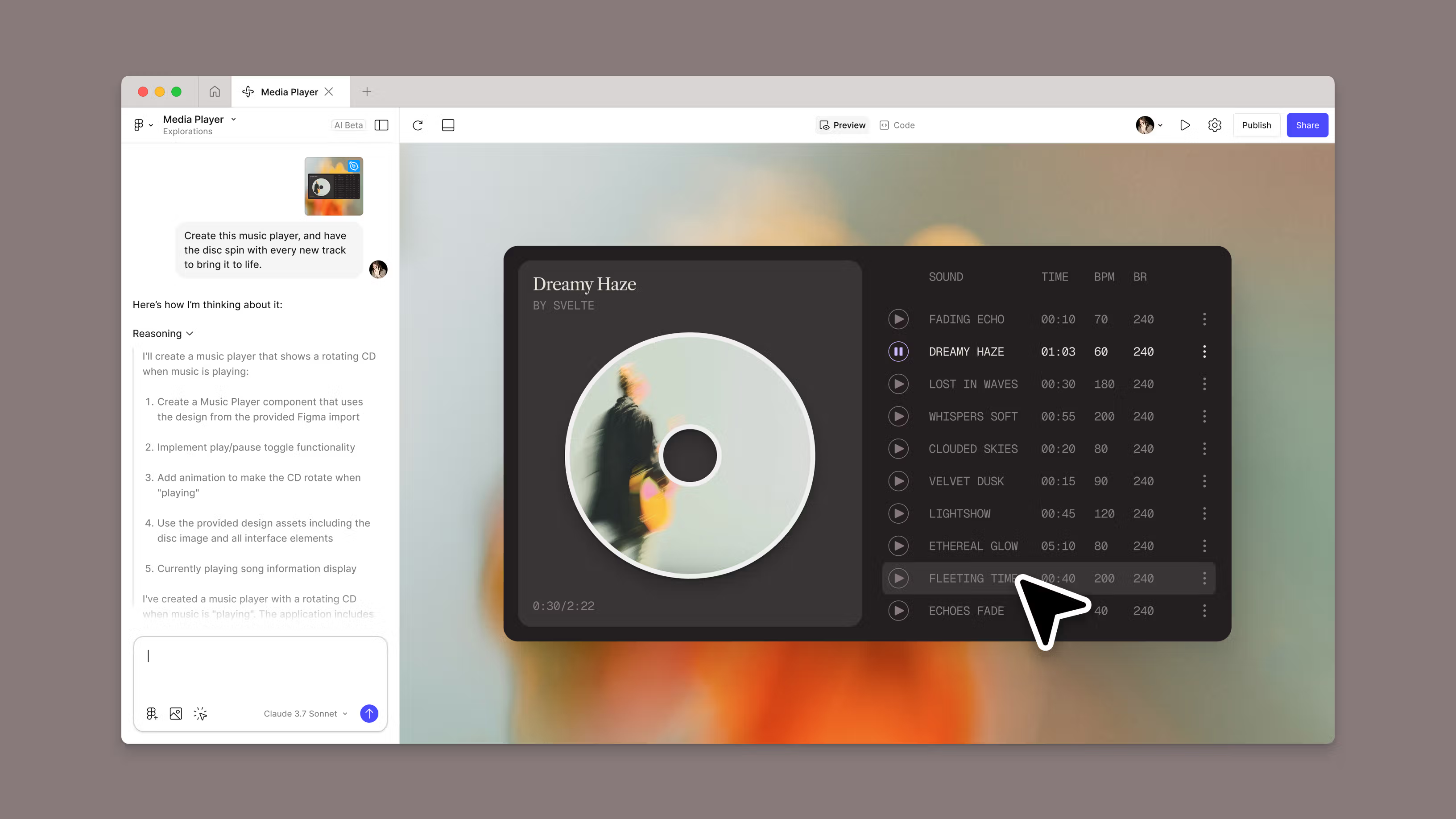
Unlocking the Gemini 3 Pro Engine > To ignite the "prompt-to-app" engine, you’ll first need to authorize the model within your Figma workspace. Follow this path to the developer’s laboratory:
- Enter Settings: Locate the Settings menu and head to the Experimental Models tab.
- Activate the Flask: Find Gemini 3 Pro - identified by the laboratory flask icon - and toggle it to active status.
- Launch the Workspace: Initiate a new Figma Make project, ensuring Gemini 3 Pro is selected as your primary architect.
The Pro Strategy: Treat your first prompt as a conversation. Start with a broad stroke—like "Draft a dark-mode onboarding journey"—and then layer on your specifics. By initializing the model this way, you turn the Figma Create canvas into a living environment that understands not just pixels, but interactive intent.
Generative Layouts and Styles
Gemini 3 Pro’s true strength lies in its remarkable stylistic range - it is essentially an aesthetic chameleon. To prove its versatility, Figma’s internal teams pushed the model to two polar extremes: a warm, sentimental 'Thanksgiving Gratitude Board' and a high-energy 'Y2K-themed RSVP page.' In both cases, the AI didn't just skin the UI; it understood the specific visual grammar of each era. Whether you’re prompting for the raw honesty of Brutalist Minimalism or the sleek nostalgia of Retro-Chrome, the model delivers more than just static images it builds a coherent design system with interactions that feel native to the chosen style.
Design-to-Code Prototyping
Gemini 3 Pro’s standout superpower is its ability to think in code while it breathes in design. It goes beyond static layouts by generating high-fidelity SVGs and the underlying physics that make a UI feel alive. When the Figma team tasked it with building interaction logic, it proved that AI can handle the technical heavy lifting that usually bogs down the transition to development. By leveraging this, you aren't just creating a mockup, you're generating a technical head-start that reduces translation errors and ensures the final product mirrors your original vision perfectly.
Working with Design Systems
Stop rebuilding the wheel. Gemini 3 Pro is 'library-fluent,' meaning it can dive into your existing Figma Make components or npm-linked assets to build with precision. This transforms the AI from a generalist into an expert on your specific product. By prompting it to build 'within the system,' you receive production-ready outputs that already speak your design language, complete with the correct padding, colors, and logic, drastically reducing the time spent on manual 'cleanup' after generation.
The arrival of Gemini 3 Pro within Figma Make isn't just an update; it’s a paradigm shift from 'drawing' to 'directing.' By offloading the friction of prototyping and system maintenance to AI, design teams can finally reclaim their most valuable asset: time for deep, strategic thinking. Those who master the art of the intentional prompt today won't just work faster—they will set the standard for the next era of digital craftsmanship. In the race for quality at scale, this integration is the ultimate force multiplier.